 Stefan Mogeritsch
aa157e82f8
Stefan Mogeritsch
aa157e82f8
- Documented Access Control features (e.g., Device Approvals, Password Rotation, 2FA, Custom Login Pages).
- Added detailed descriptions for Logs & Analytics (Access Logs, Request Logs, Action Logs).
- Included configuration instructions and feature-specific notes for Pangolin Cloud and Enterprise Edition.

Signed-off-by: Stefan Mogeritsch <stefan.mo.co@gmail.com>
4.0 KiB
Documentation Index
Fetch the complete documentation index at: https://docs.pangolin.net/llms.txt Use this file to discover all available pages before exploring further.
OAuth2/OIDC
Configure OpenID Connect identity provider for external authentication
This identity provider follows the OpenID Connect protocol. This means that it can be used to connect to any external identity provider that supports the OpenID Connect protocol such as Authentik, Keycloak, Okta, etc.
Creating a Generic OAuth2/OIDC IdP in Pangolin
In Pangolin, go to "Identity Providers" and click "Add Identity Provider". Select the OAuth2/OIDC provider option.
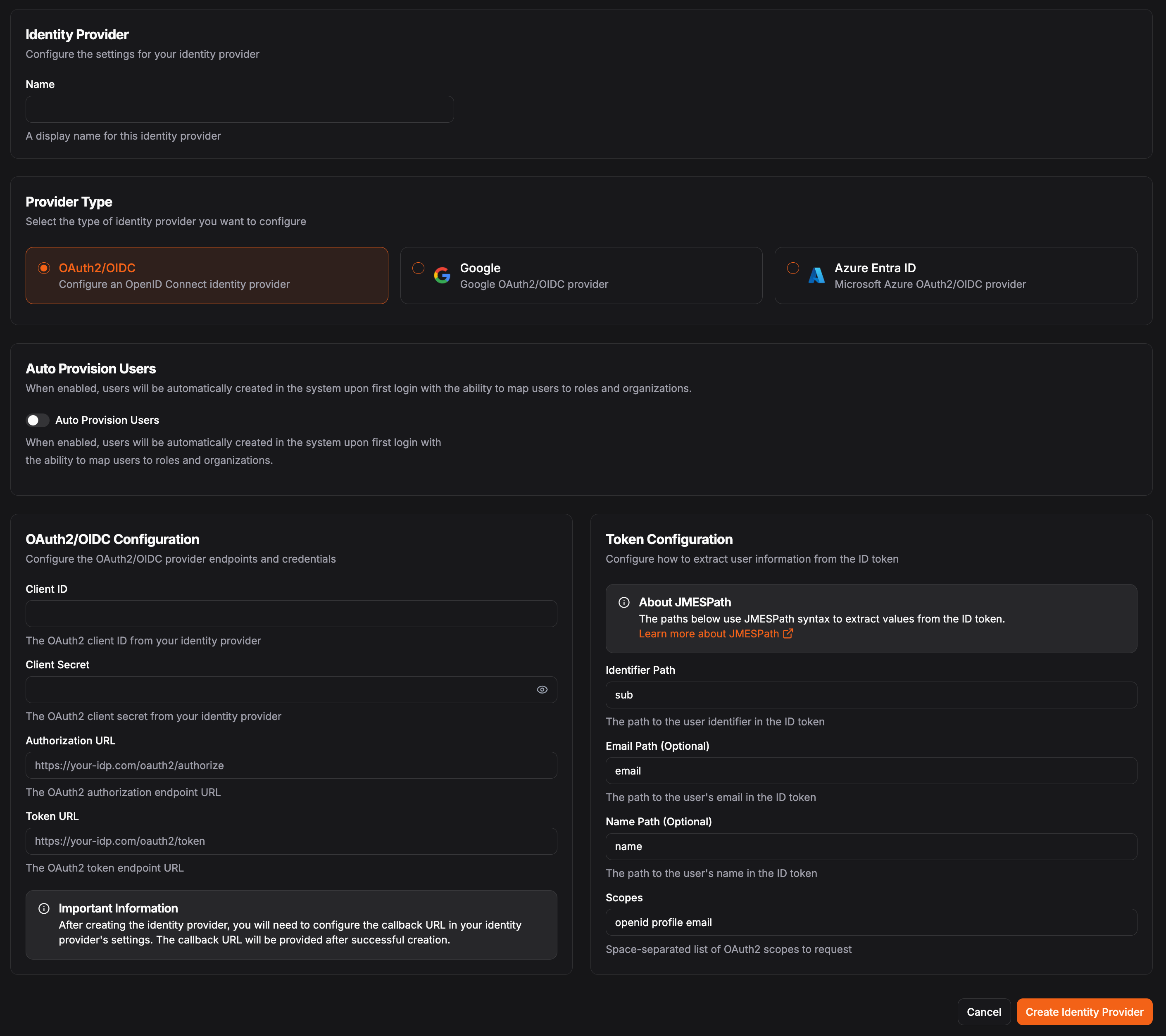
In the OAuth2/OIDC Configuration, you'll need the following fields:
The client identifier provided by your identity provider. The client secret provided by your identity provider. The authorization endpoint URL from your identity provider. The token endpoint URL from your identity provider.Token Configuration
Use JMESPath to select attributes from the claims token. See JMESPath for more information on how to use JMESPath.
Determine how to access information from the claims token returned by the identity provider. This is used to map the user information from the identity provider to the user information in Pangolin.
This must be unique for each user within an identity provider.Example: sub or user_id
Example: email
Example: name or preferred_username
Default: openid profile email