 Stefan Mogeritsch
aa157e82f8
Stefan Mogeritsch
aa157e82f8
- Documented Access Control features (e.g., Device Approvals, Password Rotation, 2FA, Custom Login Pages).
- Added detailed descriptions for Logs & Analytics (Access Logs, Request Logs, Action Logs).
- Included configuration instructions and feature-specific notes for Pangolin Cloud and Enterprise Edition.

Signed-off-by: Stefan Mogeritsch <stefan.mo.co@gmail.com>
6.1 KiB
Documentation Index
Fetch the complete documentation index at: https://docs.pangolin.net/llms.txt Use this file to discover all available pages before exploring further.
Integration API
Learn how to use Pangolin's REST API to automate and script operations with fine-grained permissions
The API is REST-based and supports many operations available through the web interface. Authentication uses Bearer tokens, and you can create multiple API keys with specific permissions for different use cases.
For Pangolin Community Edition, the integration API must be enabled. Check out the documentation for how to enable the integration API.
Authentication
All API requests require authentication using a Bearer token in the Authorization header:
```bash cURL theme={null} curl -H "Authorization: Bearer YOUR_API_KEY" \ https://api.example.com/v1/ ```const response = await fetch('https://api.example.com/v1/endpoint', {
headers: {
'Authorization': `Bearer ${apiKey}`
}
});
import requests

headers = {'Authorization': f'Bearer {api_key}'}
response = requests.get('https://api.example.com/v1/endpoint', headers=headers)
API Key Types
Pangolin supports two types of API keys with different permission levels:
Organization API Keys
Organization API keys are created by organization admins and have limited scope to perform actions only in that organization.
Root API Keys
Root API keys have some extra permissions and can execute operations across orgs. They are only available in the Community Edition of Pangolin:
Root API keys have elevated permissions and should be used carefully. Only create them when you need server-wide access.Creating API Keys
Navigate to your admin panel:* **Organization keys**: Organization → API Keys
* **Root keys**: Server Admin → API Keys (self-hosted only)
<Frame caption="API key permissions selector showing available operations">
  <img src="https://mintcdn.com/fossorial/u-2SUNWyK_LJL3sU/images/permissions.png?fit=max&auto=format&n=u-2SUNWyK_LJL3sU&q=85&s=9d509a7ab8a4286075e9b21af621d8e4" alt="API Key Permissions" data-og-width="3042" width="3042" data-og-height="1624" height="1624" data-path="images/permissions.png" data-optimize="true" data-opv="3" srcset="https://mintcdn.com/fossorial/u-2SUNWyK_LJL3sU/images/permissions.png?w=280&fit=max&auto=format&n=u-2SUNWyK_LJL3sU&q=85&s=2ab79e31dbd418fabb896c8c3a342cd7 280w, https://mintcdn.com/fossorial/u-2SUNWyK_LJL3sU/images/permissions.png?w=560&fit=max&auto=format&n=u-2SUNWyK_LJL3sU&q=85&s=7f01cbc2a15b4de9342698be2e58d6c9 560w, https://mintcdn.com/fossorial/u-2SUNWyK_LJL3sU/images/permissions.png?w=840&fit=max&auto=format&n=u-2SUNWyK_LJL3sU&q=85&s=ba8b9cd8fe749242cba68dec09007a11 840w, https://mintcdn.com/fossorial/u-2SUNWyK_LJL3sU/images/permissions.png?w=1100&fit=max&auto=format&n=u-2SUNWyK_LJL3sU&q=85&s=37c7b66cb7794c0668f930e0843f3e6a 1100w, https://mintcdn.com/fossorial/u-2SUNWyK_LJL3sU/images/permissions.png?w=1650&fit=max&auto=format&n=u-2SUNWyK_LJL3sU&q=85&s=ec0b81f335b4e8adf1072cfae8739386 1650w, https://mintcdn.com/fossorial/u-2SUNWyK_LJL3sU/images/permissions.png?w=2500&fit=max&auto=format&n=u-2SUNWyK_LJL3sU&q=85&s=8a27ff6e9a6f5894c50c601aaa6bdd19 2500w" />
</Frame>
<Warning>
  Store API keys securely and never commit them to version control. Use environment variables or secure secret management.
</Warning>
API Documentation
View the Swagger docs here: https://api.pangolin.net/v1/docs.
Interactive API documentation is available through Swagger UI:
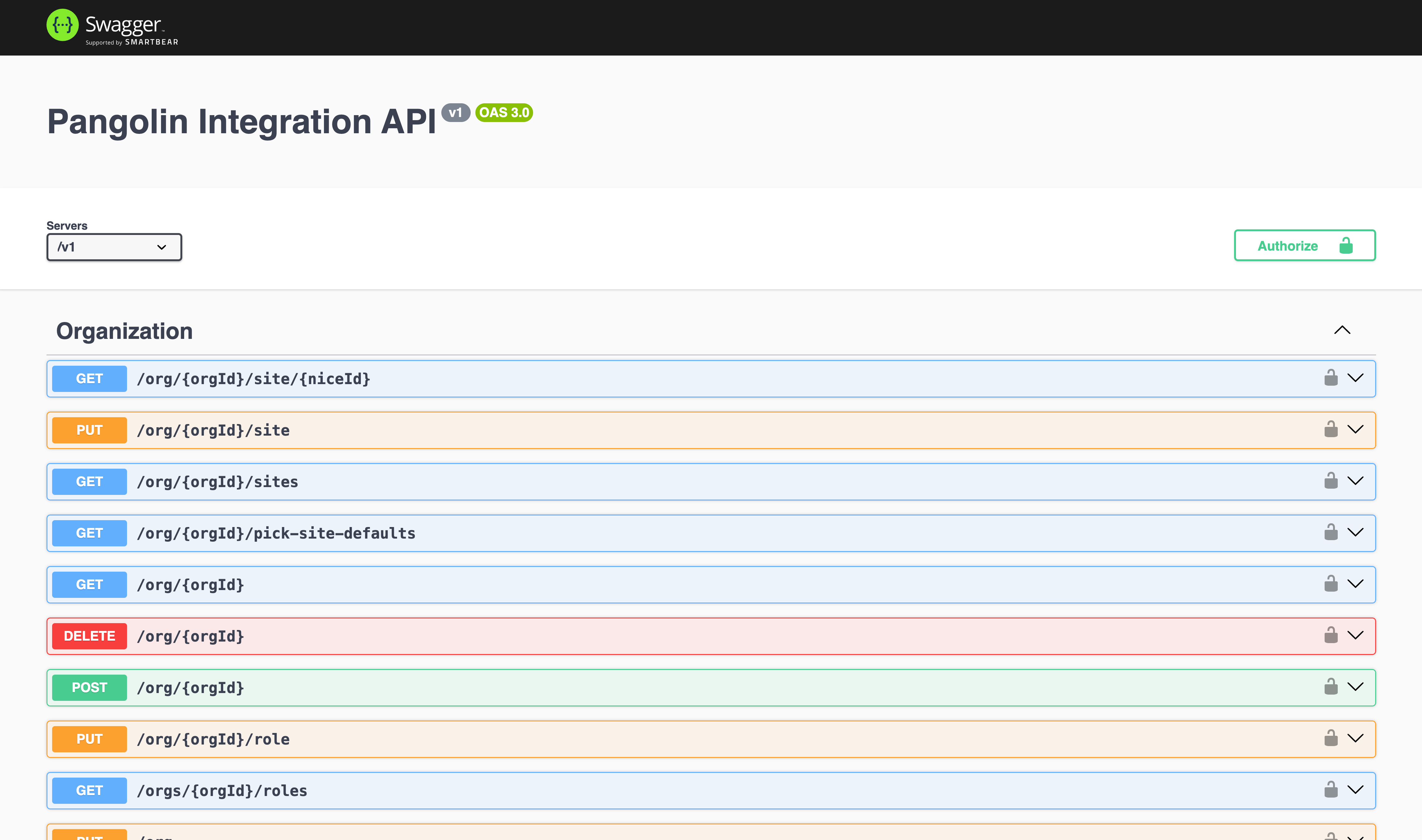
For self-hosted Pangolin, access the documentation at https://api.your-domain.com/v1/docs.